
Playlist management
Add, reorder, remove, import, and export videos from a dedicated side panel.
TubePresenter adds a focused side panel to YouTube so you can prepare a playlist, control playback in real time, and send the player to a screen or projector.
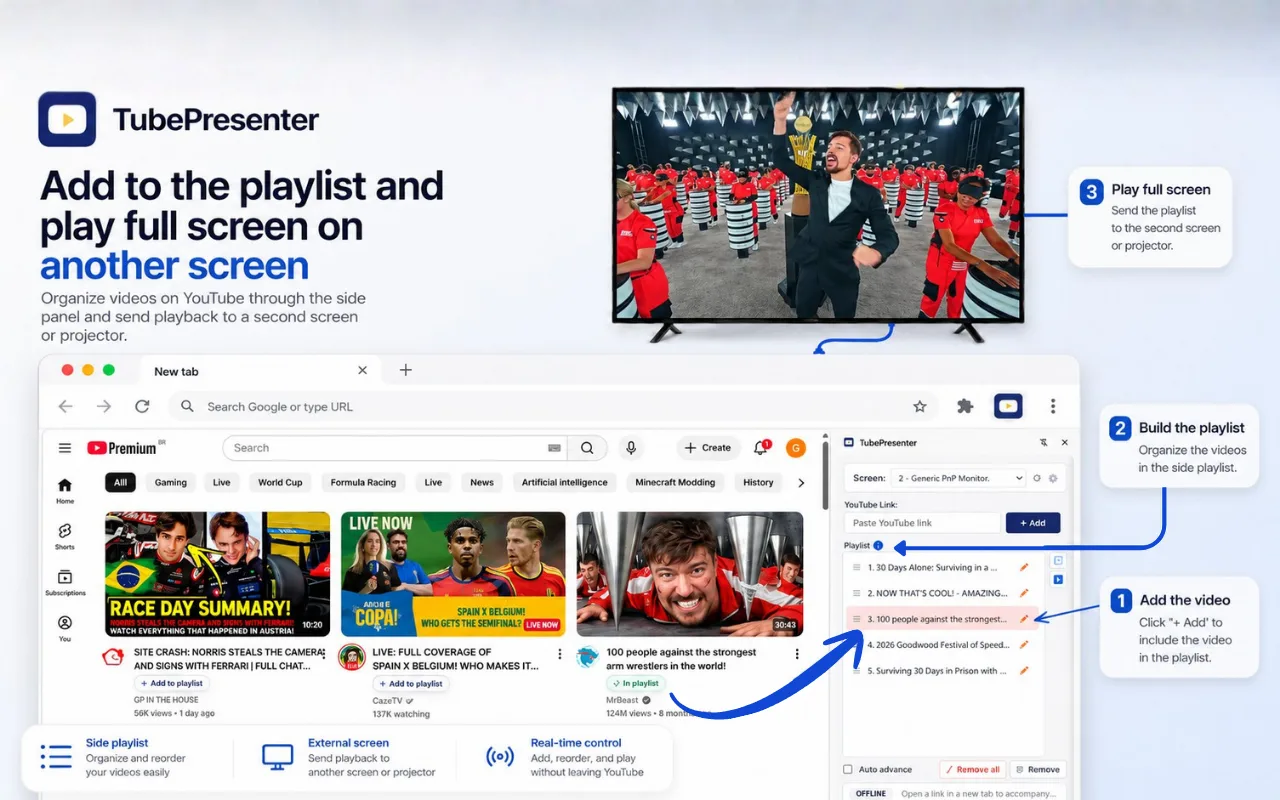
The extension keeps the tools you need close without turning YouTube into a complicated control room.
Add, reorder, remove, import, and export videos from a dedicated side panel.
Open the player in a separate window on the monitor or projector you choose.
Play, pause, seek, mute, adjust volume, and monitor progress without changing tabs.
When supported, jump back to the live edge with a dedicated control.
Toggle CC and choose a preferred quality while YouTube keeps final control of availability.
Hide optional YouTube buttons, switch modes, and keep the interface as clean as you need.
No complicated setup and no separate playlist service.
Use the button on YouTube or paste a video link into the side panel.
Set the order, remove items, and enable automatic advance when useful.
Select a connected display and open the dedicated player window.
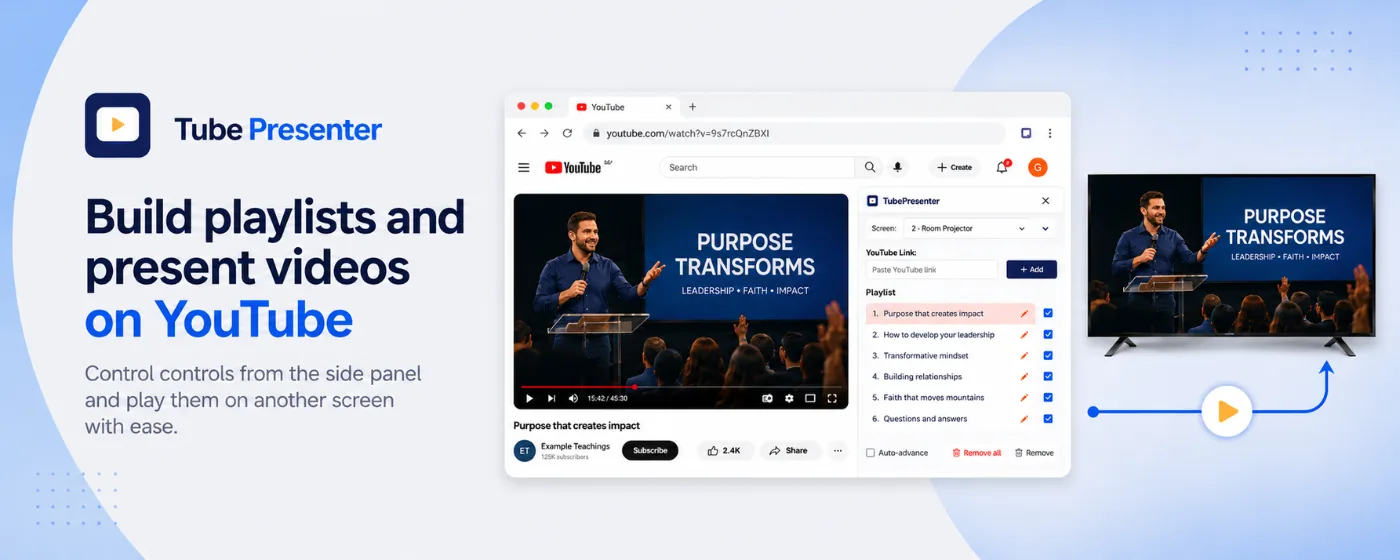
TubePresenter works especially well when one person prepares the content and another screen shows it to an audience.
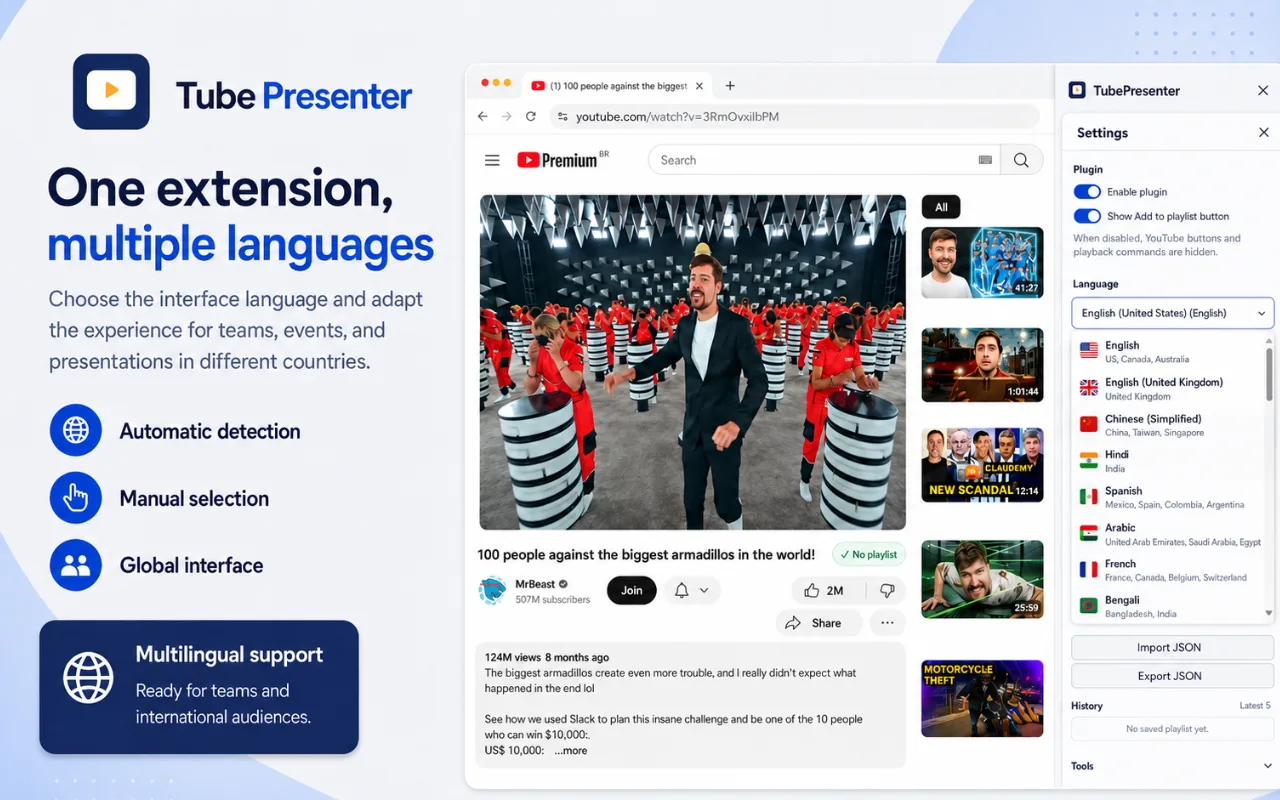
The screenshots automatically follow the language selected on this site.
1 / 5Add videos and play on another screen
The extension can detect the Chrome language on first install and also lets users select a language manually.
The website and product gallery are available in the same core languages.
TubePresenter remains available without advertising. Community donations help cover the time and costs required to maintain the project.
Voluntary support helps keep development active, improve compatibility with YouTube changes, and make the project available to everyone.
No. TubePresenter is an independent project and is not affiliated with, endorsed by, or sponsored by YouTube or Google.
No. It organizes YouTube links and controls playback through YouTube. It does not download or redistribute video files.
Yes. The extension does not display ads or lock core features behind a payment. Voluntary community support helps maintain the project.
Playlist items and preferences are stored locally in Chrome using the extension storage system.
It needs limited access to YouTube pages to read the current public video information, show optional playlist buttons, and carry out playback actions requested by the user.